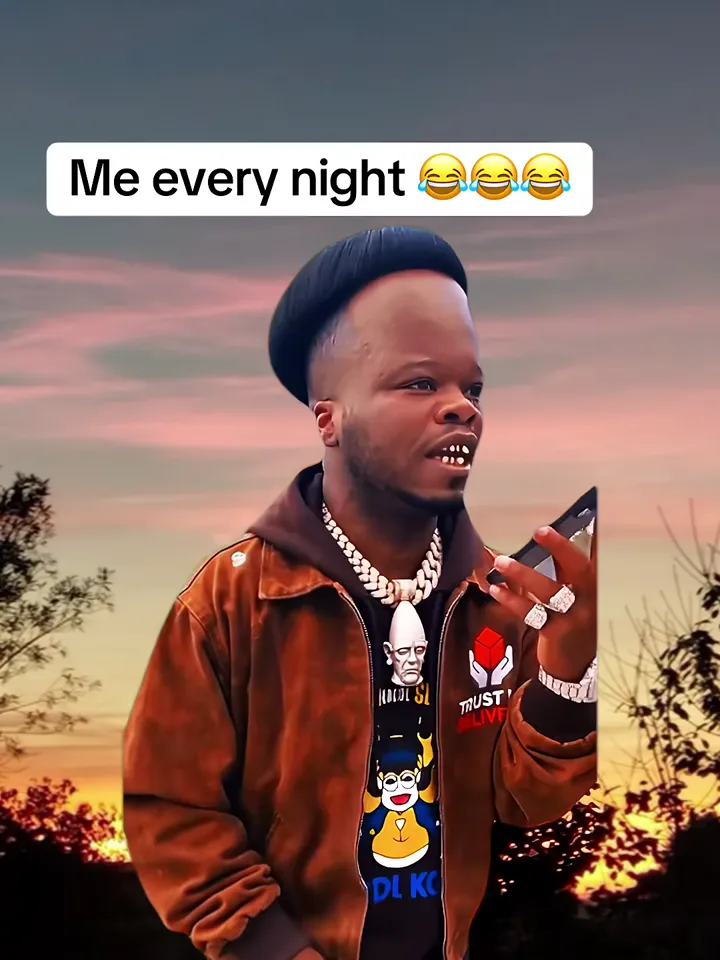
Sunset sky, silhouetted trees, late-night thinking. An open field at sunset, the sky glowing orange and violet behind them, dark silhouetted trees along the horizon, warm rim light on the person.
Updated Oct 20, 2026 · By the Become Millionaire AI team
Generator
Make your become millionaire ai video
Three choices and one tap. The shot list, the timing and the prompt are already built.
Some of the most-viewed remakes cut the asker out and drop them in front of a sunset with a caption like "me every night". Golden Hour builds that look natively: you stand in front of an orange and violet sky with dark trees on the horizon, lit from behind, asking the same question.
Tips for the golden hour
Bright, evenly lit photos work best: the template adds the warm backlight, so a photo that is already orange can look over-cooked.
Darker outfits read well against the bright sky; white tops can glow.
Add your own caption in TikTok or Reels after download: the template leaves the sky clear for it.
What is already set for you
The subject: the person exactly as in Image 1, wearing their own outfit from Image 1.
The scene: an open field at sunset, the sky glowing orange and violet behind them, dark silhouetted trees along the horizon, warm rim light on the person.
The timing: Every template follows the same sound: the question from 0.3 to 4.1 seconds, a silent read, the reply at 5.8, the complaint from 8.6 to the end.
With the Golden Hour template, Become Millionaire AI turns your photo (one per person on a two-person template) into a become millionaire ai video set in an open field at sunset, the sky glowing orange and violet behind them, dark silhouetted trees along the horizon, warm rim light on the person. Upload it, select the template and generate.
What does the golden hour look like?
On Become Millionaire AI, the golden hour is the person exactly as in Image 1, wearing their own outfit from Image 1. It is a generic design with no brand marks.
Is Golden Hour a green-screen effect?
No. Golden Hour on Become Millionaire AI renders you in the sunset scene directly, with matching backlight on your hair and shoulders, instead of pasting a cutout over a photo. That is why the edges look natural, unlike a green-screen remake.